
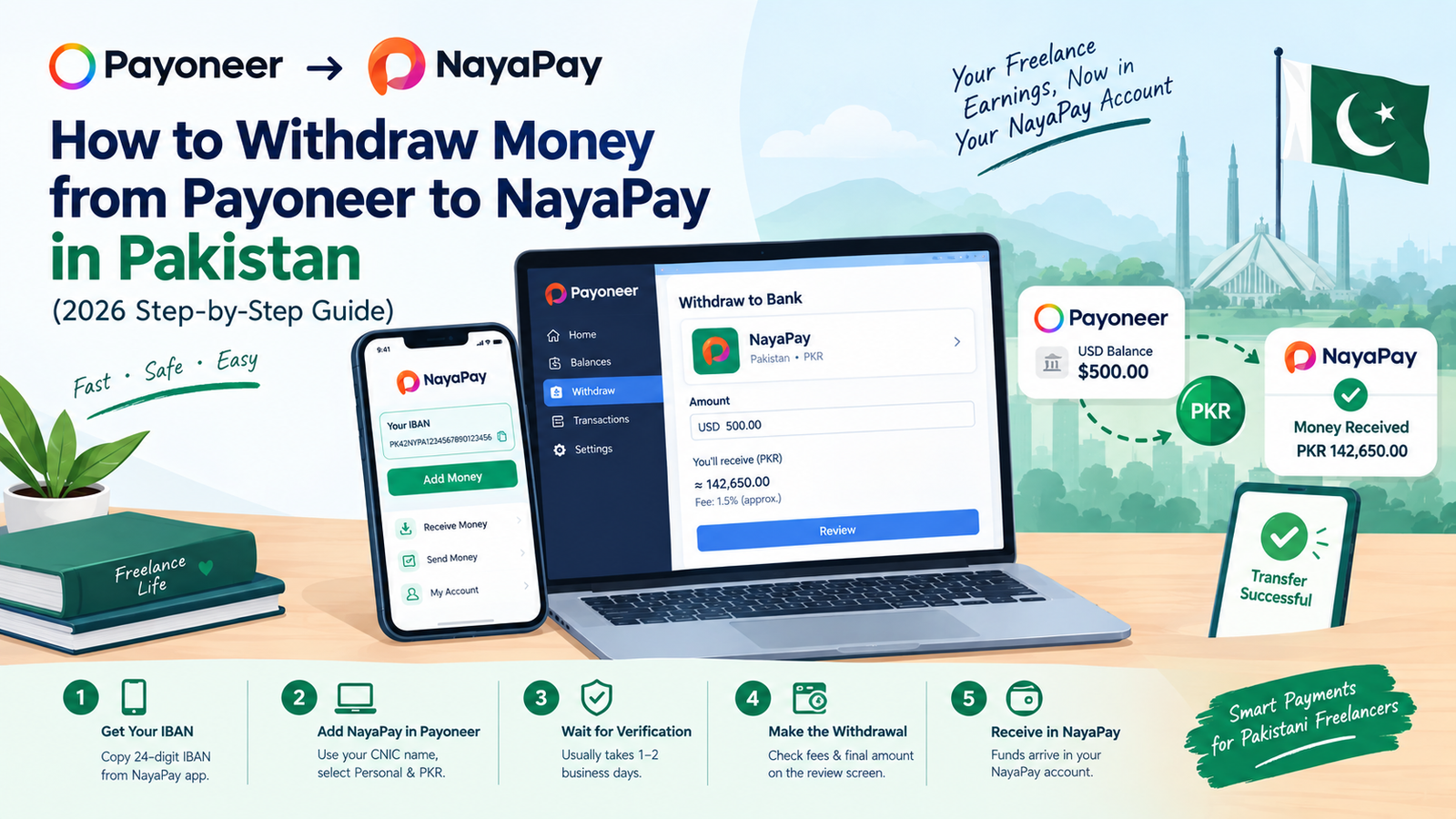
If you receive freelance payments through Payoneer, you can send them to a NayaPay account by adding NayaPay as a bank account inside Payoneer. NayaPay publishes its own instructions for this — this guide follows them and adds the checks beginners usually miss.
What You Need Before You Start
- A verified Payoneer account with a balance to withdraw
- A NayaPay account in your own name
- Your name exactly as it appears on your CNIC
- Your Payoneer password and date of birth (needed to confirm the new bank account)
Step 1: Copy Your 24-Digit IBAN from NayaPay
Open the NayaPay app, tap Add Money, and copy the 24-digit IBAN shown on that screen. Paste it into a notes app so you can copy it again later.
Step 2: Add NayaPay as a Bank Account in Payoneer
- Sign in to your Payoneer account.
- Select the currency balance you want to withdraw from and tap Withdraw.
- If NayaPay is not added yet, click Add new.
- Set Bank account category to Personal, Bank country to Pakistan, and Bank account currency to PKR.
- Set Bank name to NayaPay, enter your name exactly as on your CNIC, and paste your 24-digit IBAN.
- Enter your date of birth and Payoneer password, then click Confirm.
Step 3: Wait for Verification
Payoneer says verification of a newly added bank account typically takes 1 to 2 business days. You will get an email when the account is added, and it will then appear in your withdrawal options. Add NayaPay before you urgently need the money — not on the day you need it.
Step 4: Make the Withdrawal
- Go to Withdraw and select your NayaPay account.
- Enter the amount you want to withdraw. You can add a short description.
- Click Review and check the details carefully.
- Click Withdraw. If two-step verification is on, enter the code Payoneer sends you.
Fees and Exchange Rate: What Is Confirmed
According to Payoneer, withdrawal fees vary by type of withdrawal and are shown on the withdrawal summary page before you confirm. Payoneer also states there are no setup or recurring monthly fees for withdrawing to a bank account. When currency conversion is involved, the fee is included in the conversion rate — so the best way to judge the cost is the final PKR amount shown on the review screen.
Fee numbers quoted on random blogs go out of date quickly, so trust your own screen. For a wider comparison, read our guide on Payoneer vs Wise vs SadaPay fees.
NayaPay Limits Freelancers Should Know
According to the NayaPay Help Center, a standard personal account starts with a monthly incoming limit of Rs. 50,000, which can be upgraded to Rs. 400,000 through biometric verification (in-app fingerprint or at a Meezan Bank ATM). NayaPay business accounts have a default monthly incoming limit of Rs. 2,000,000.
These limits depend on your verification status and can change, so open your NayaPay profile to see your current numbers. Before a large client payment arrives, check whether your planned withdrawal fits inside your remaining limit.
Common Mistakes to Avoid
- Name mismatch: entering a name that does not match your CNIC
- Wrong settings: choosing the wrong account category or currency (it should be Personal and PKR)
- Typing the IBAN by hand instead of copying it from the app
- Adding the account at the last minute and expecting to withdraw the same day
- Ignoring your NayaPay monthly incoming limit
NayaPay, JazzCash, Easypaisa or a Bank Account?
All four are valid routes, and the right one depends on the final PKR amount you receive and your limits. If you also use JazzCash, see our guide on the Payoneer to JazzCash withdrawal limit. Prefer Easypaisa? Here is how to transfer Payoneer to Easypaisa (2 working methods).
Whichever route you pick, your freelance income still has tax implications, so read what FBR filer status means for freelancers.
Last checked: October 2026. Steps and limits were verified against the NayaPay Help Center Payoneer guide, the NayaPay account limits page, the Payoneer withdraw-to-bank FAQ and the Payoneer pricing page. Screens and limits can change, so confirm them inside your own apps.